Sound
Four settings shape how the app sounds: the instrument, the tempo, the octave, and whether things play the moment you pick them.
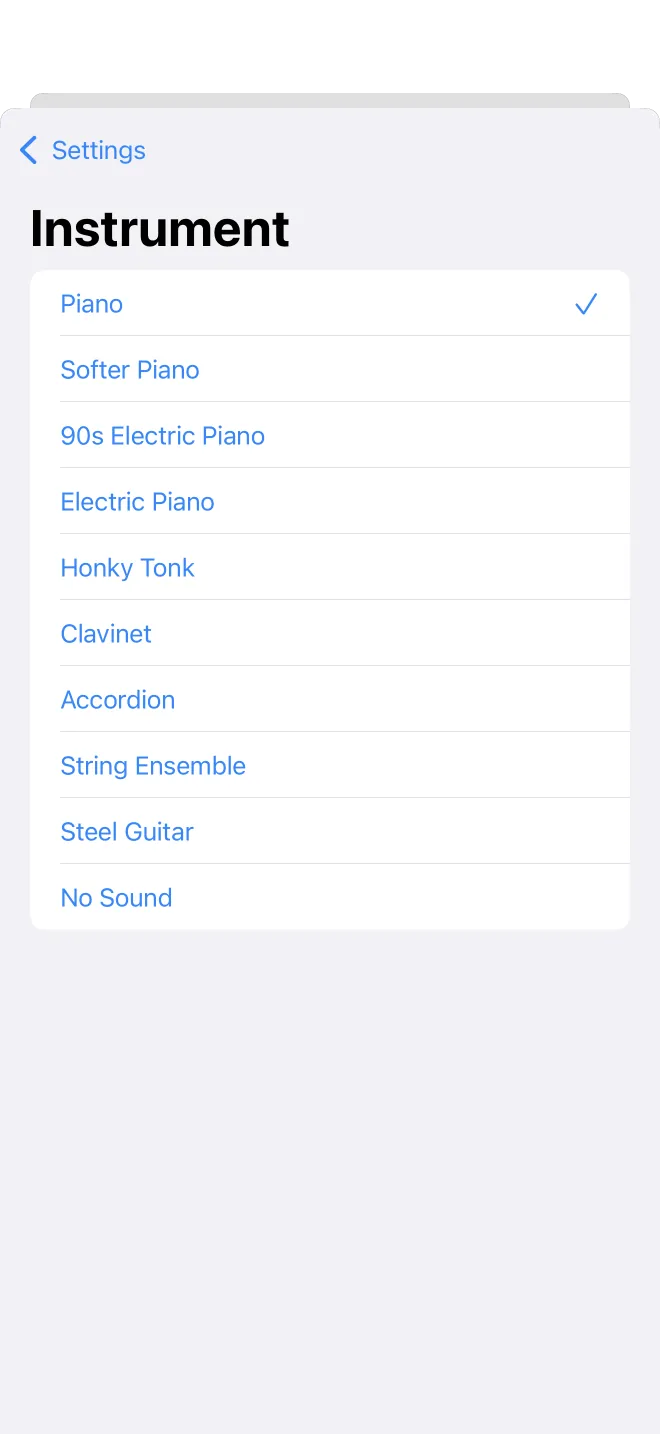
Instrument
Settings, then Instrument, lists the available sounds. Tap one and it loads, with a brief pause while the sound is prepared, then a check marks your choice. Everything you play, chords, scales, and songs, uses this sound until you change it.
Tempo
Settings, then Tempo, sets the playback speed in beats per minute, from 20 to 480. Use the slider for a rough setting or the stepper for one beat at a time. A preview lets you hear a chord and a scale at the chosen tempo before you leave the screen.
Octave
Settings, then Octave, sets how high or low playback sounds, from C2 to C5. It changes the pitch you hear without changing the notes themselves. A low octave suits bass lines, a high one suits melodies.
Autoplay
The Autoplay toggle plays a chord or scale the moment you select it, with no separate tap on a play button. It is useful when you are comparing several in a row and want to hear each one as you land on it.