The section editor
The section editor is where you build one section's chords. It is also where the app suggests chords that fit. Open it with the Edit button on any section.
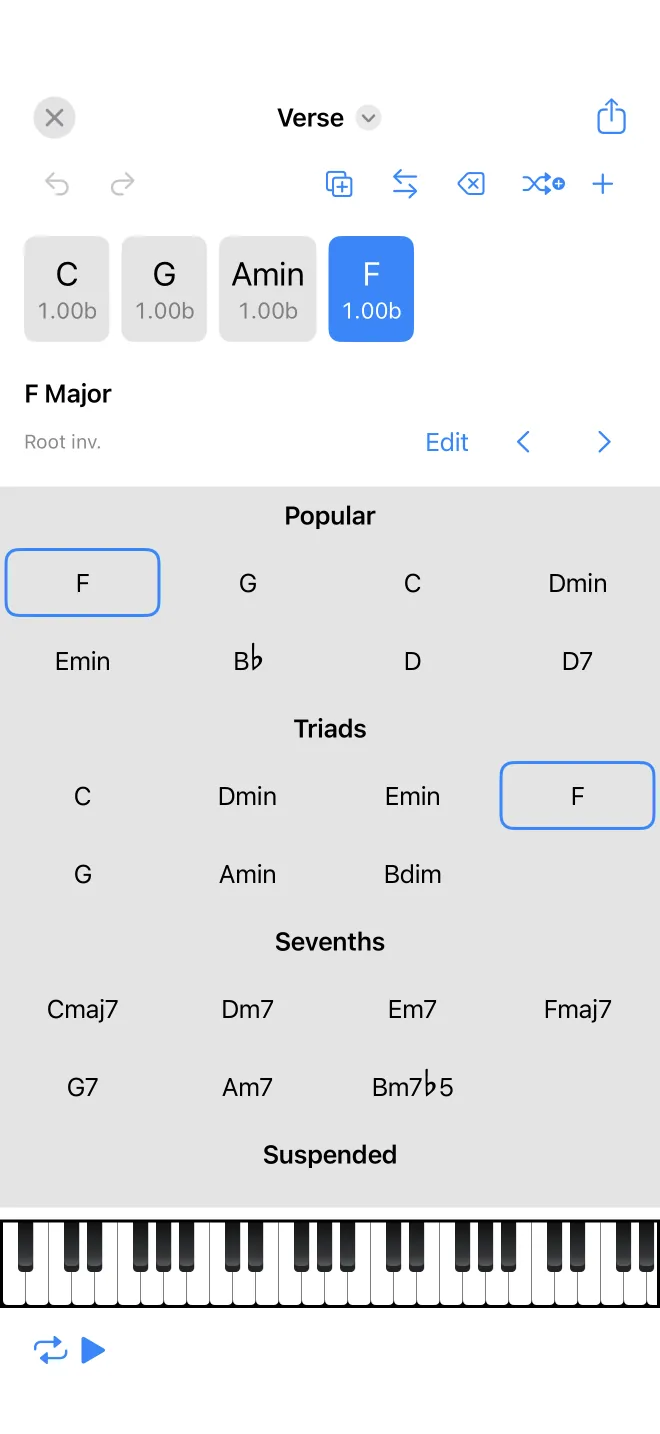
Build the chord sequence
The section's chords run left to right as tiles. Tap one to select it. The top bar adds a blank chord, duplicates or deletes the selected one, and has a move mode for reordering by dropping a chord between others. Below the selected chord you can set its length, open it in the full chord editor, or step to the previous or next chord.
Chord suggestions
A grid of suggested chords sits below, grouped by type. The Popular group comes first: these are the chords that most often follow or precede the chords around the selected slot, drawn from a database of real songs in the same key. Below that are the triads, sevenths, and suspended chords that belong to the song's scale. Tap a suggestion to drop it into the selected slot and hear it.
Add a random chord
The add-random button picks a plausible next chord for you, weighted toward the more common suggestions. It is a quick way to keep moving when you are not sure what comes next.