Scale details
Tapping a scale opens its detail screen. It shows the scale from several angles, the fingerings for each hand, and the chords that belong to the scale.
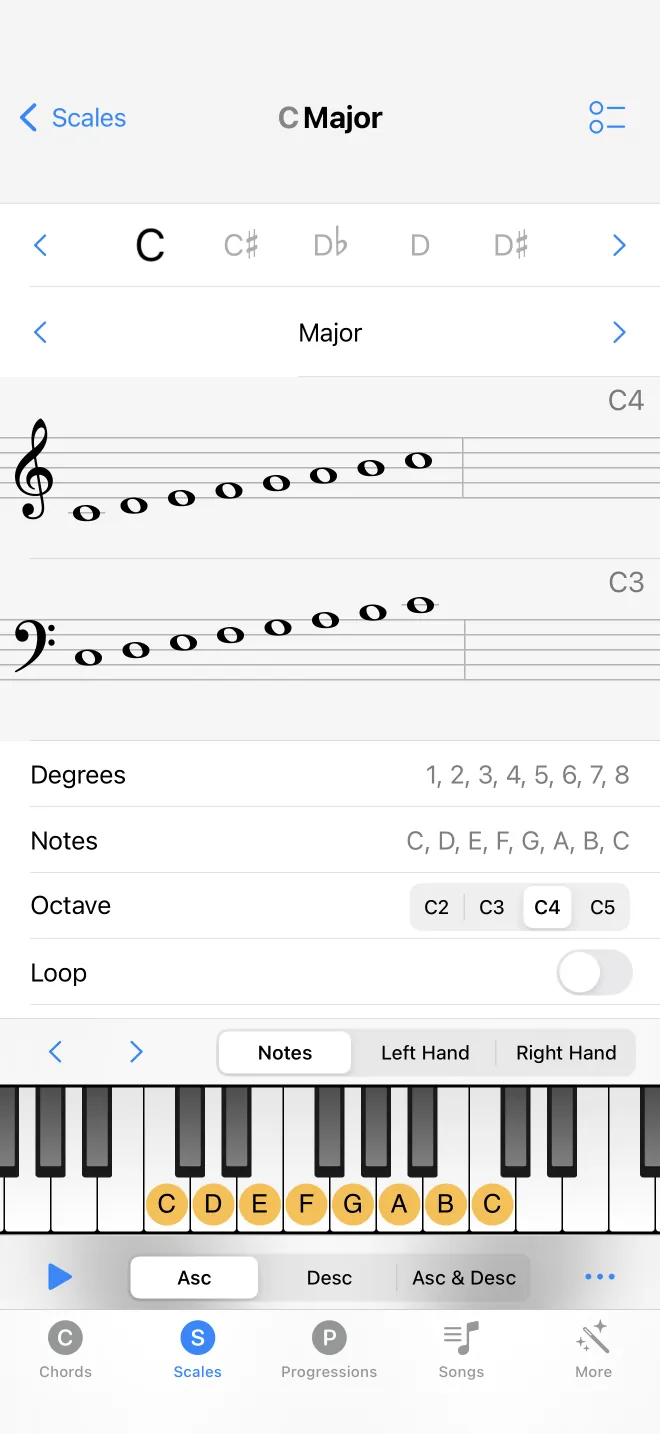
Notes, degrees, staff, and keyboard
The screen lists the scale degrees and the note names, draws the scale on the treble and bass staves, and shows it on the piano keyboard along the bottom. As with chords, you can change the root note and the scale type in place, and play the whole scale.
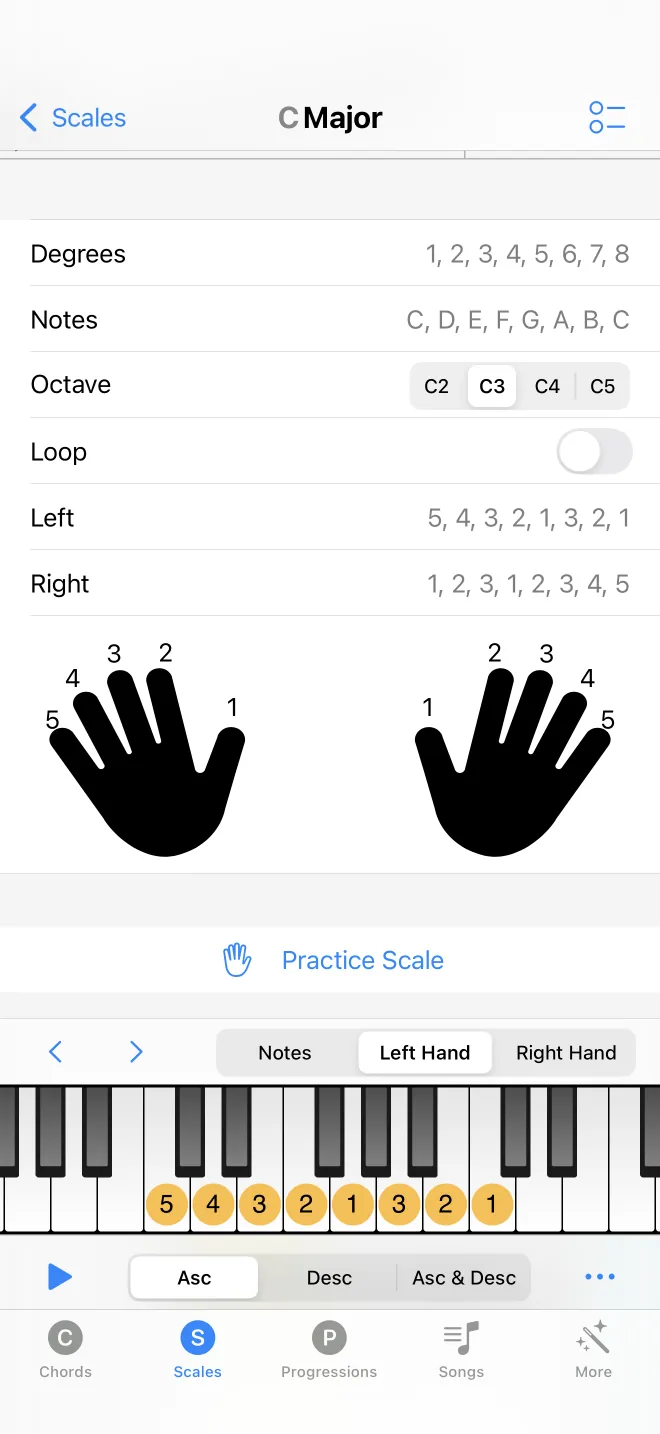
Fingerings for each hand
The control above the keyboard sets what the keys show: the plain notes, the left hand fingering, or the right hand fingering. In a hand mode, a finger number sits on each key, so you can see which finger plays which note going up and down the scale.

Chords in the scale
Below the scale are two sections: the triads and the sevenths built on each degree of the scale. These are the chords that fit the scale, the chords in the key. Tap one to hear it, or open it to see it on its own chord screen.
Practice
A Practice button opens a separate screen for drilling the scale by hand and octave. It has its own chapter.