The song view
The song view is where you arrange a whole song. It shows every section, plays the arrangement, and lets you change the key and the tempo.
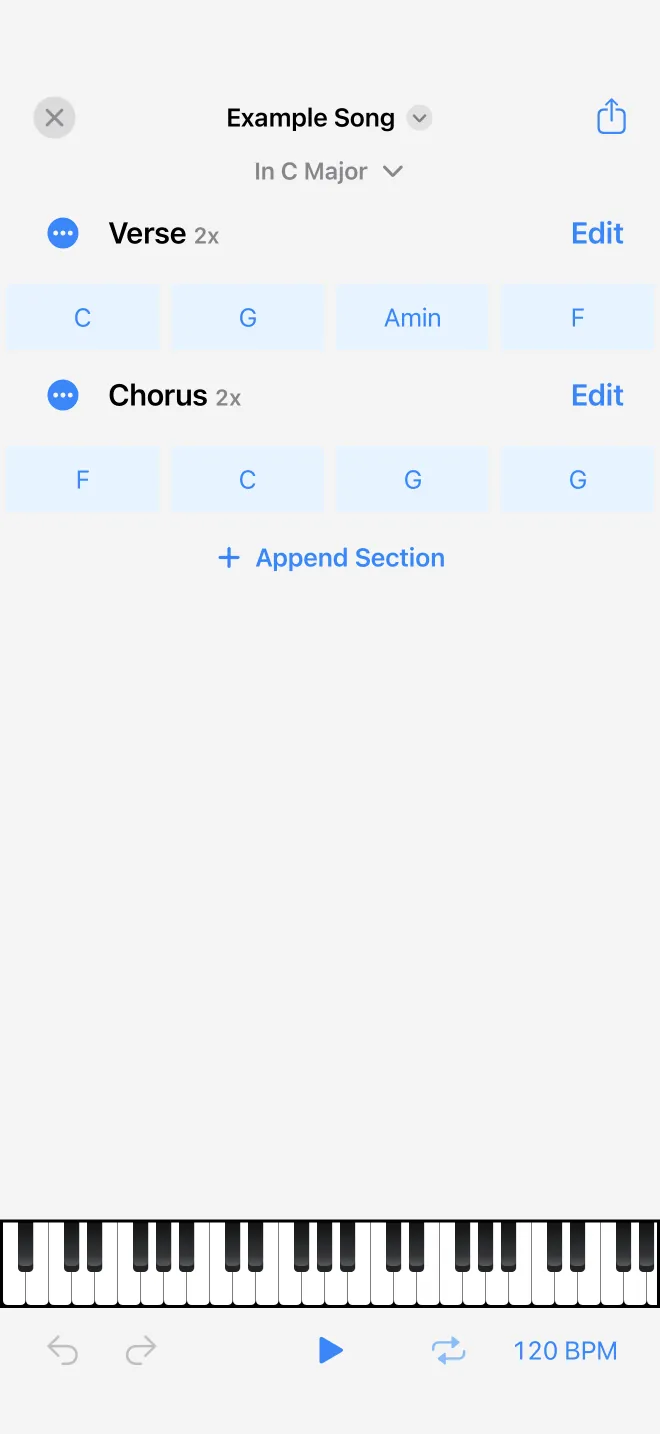
Sections and chords
The song is shown as a stack of sections. Each section has a header with its name and repeat count, an Edit button that opens its chords in the section editor, and a menu to rename it, set its repeats from one to eight, or delete it. The plus adds a section from a list of preset names (Intro, Verse, Chorus, Bridge, and more) or a custom title.
Key and transpose
The first section carries the song's key. Its menu has Set scale, to choose the key, and Transpose, to move the whole song to any of the twelve roots at once.
Play, tempo, and undo
The bottom bar plays or stops the whole song, with a loop toggle and a tempo button in beats per minute. A small piano at the bottom highlights the chord that is playing, and the view scrolls to follow along. Undo and redo cover every edit.