Opening Settings
Settings holds the sound, the note names, MIDI setup, and links to help and other apps. It is one scrolling screen, reached from the More tab.
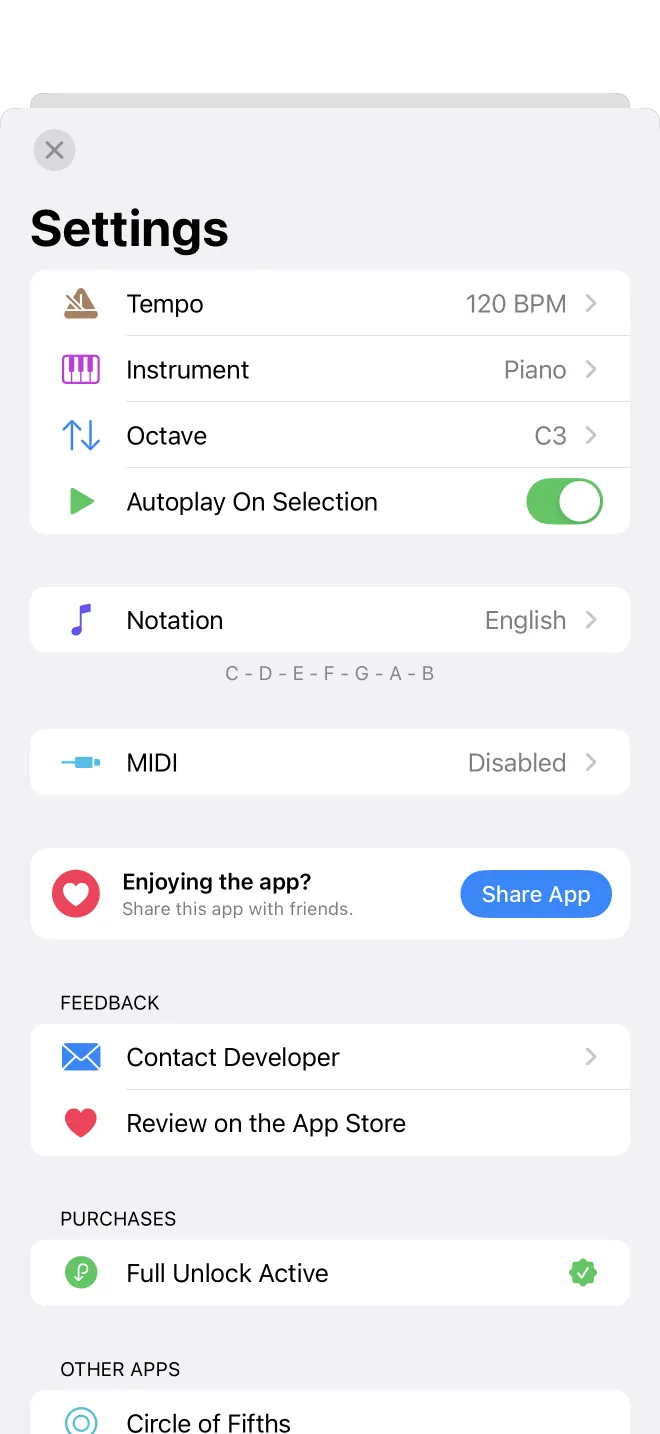
Where Settings is
Open the More tab, then tap the gear in the top corner. Settings opens as a single scrolling screen, grouped into sections: playback (tempo, instrument, octave, autoplay), display (note names), MIDI, and further down the feedback links, your purchase status, and the developer's other apps. The rest of this section walks through each group.