Favorites and filtering
Two ways to narrow the chords you work with: save the ones you use to favorites, and filter the list to only the chord types you want.
Favorites
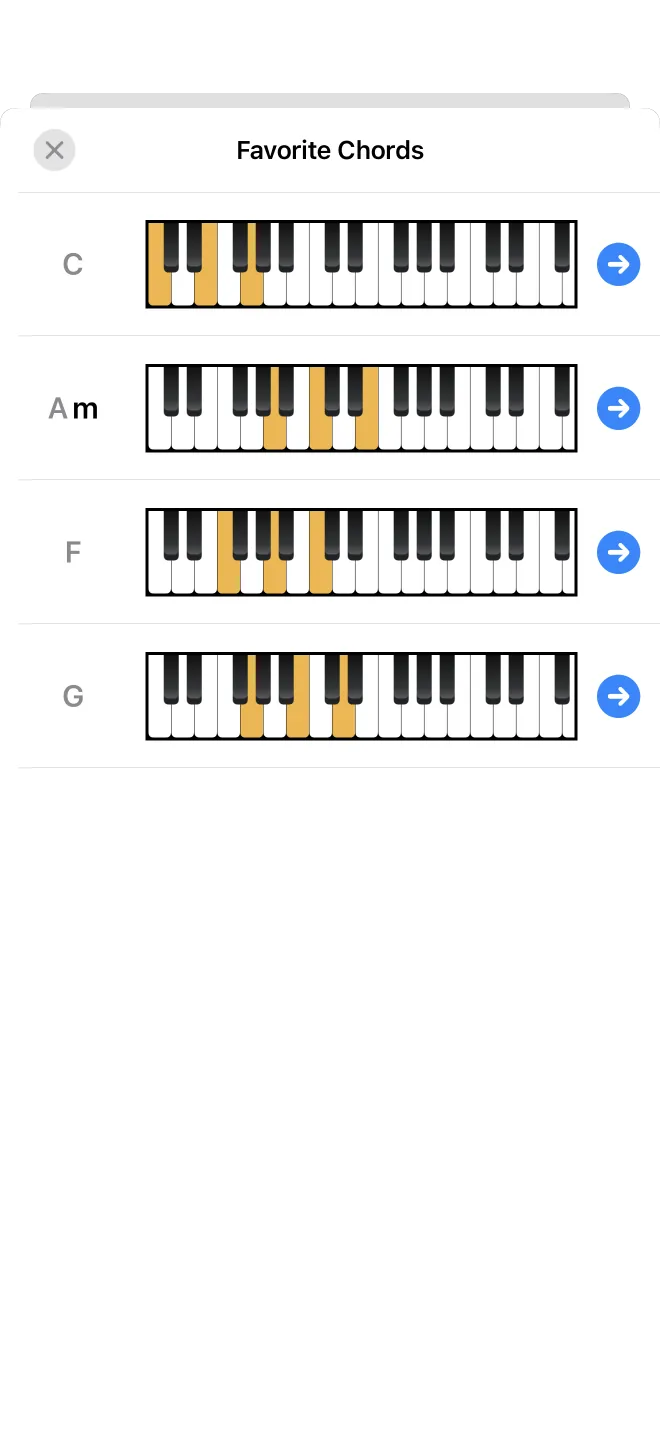
Press and hold any chord and choose to add it to favorites, or tap the star in the toolbar to open your saved chords. Favorites is a personal list you can return to and play, kept apart from the full collection. For example, save the chords of a song you are learning so they sit together in one place.
Filtering by type
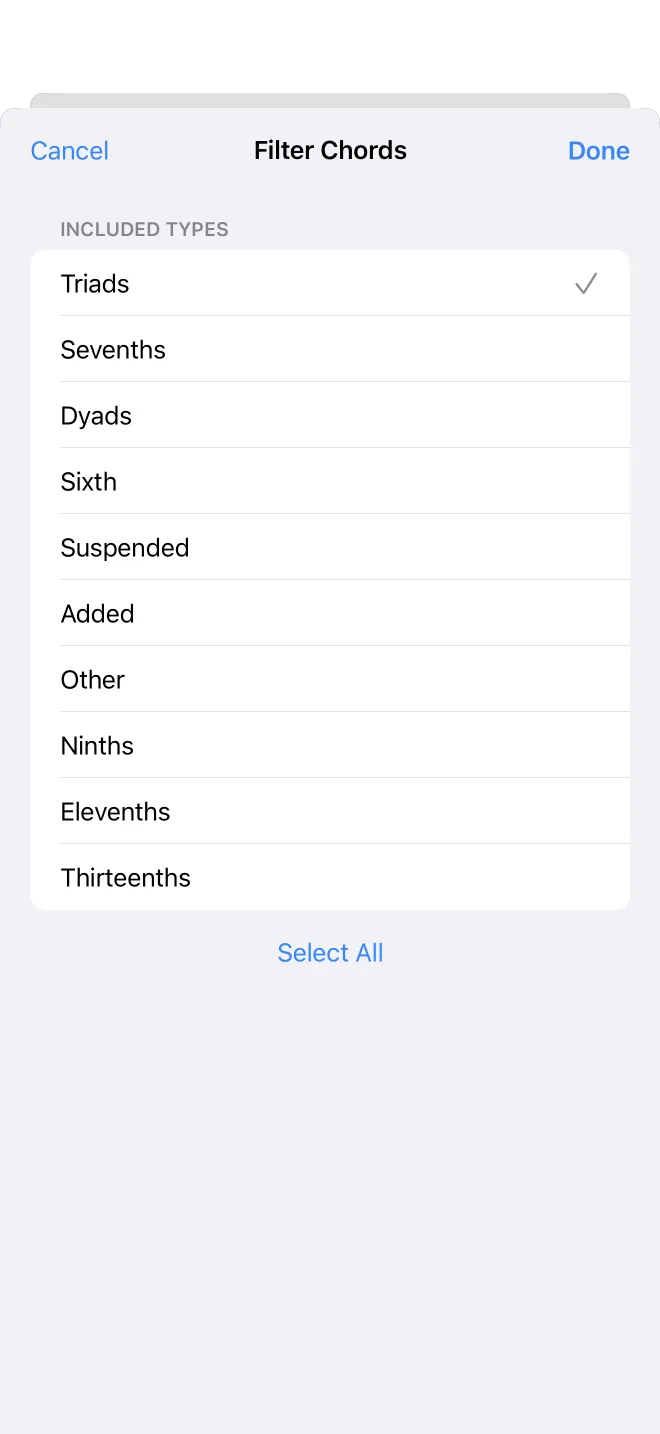
In root and inversion mode, the funnel button opens a filter. It lists every chord type. Turn a type off to hide it, or use only-this-type to keep just one. In this example everything except triads is turned off.
The filtered list
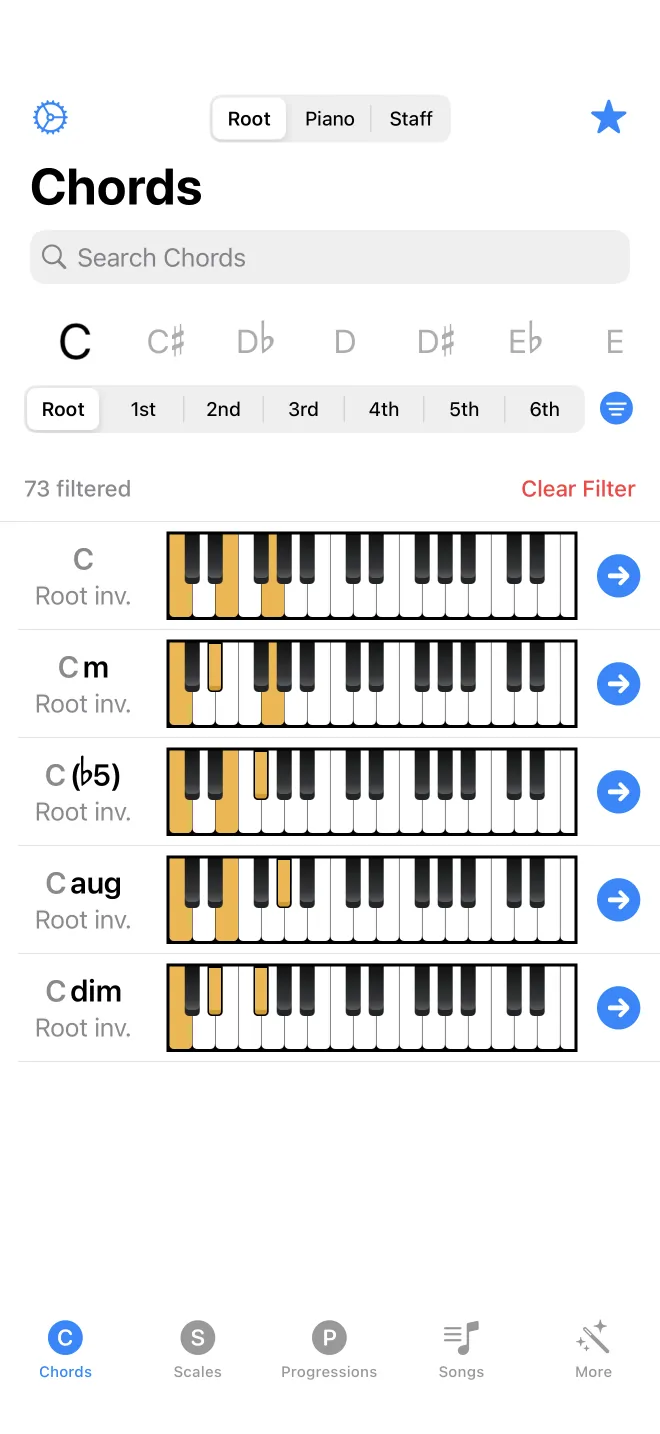
Back in the list, only the kept types are shown, here just the triads. A line reports how many chords the filter removed, with a clear button to remove the filter. This is useful when you only want triads, for example, and want the sevenths and extended chords out of the way.