The scale list
The Scales tab lists scales the same way the Chords tab lists chords. This covers the two lookup modes, the search, and the rows.
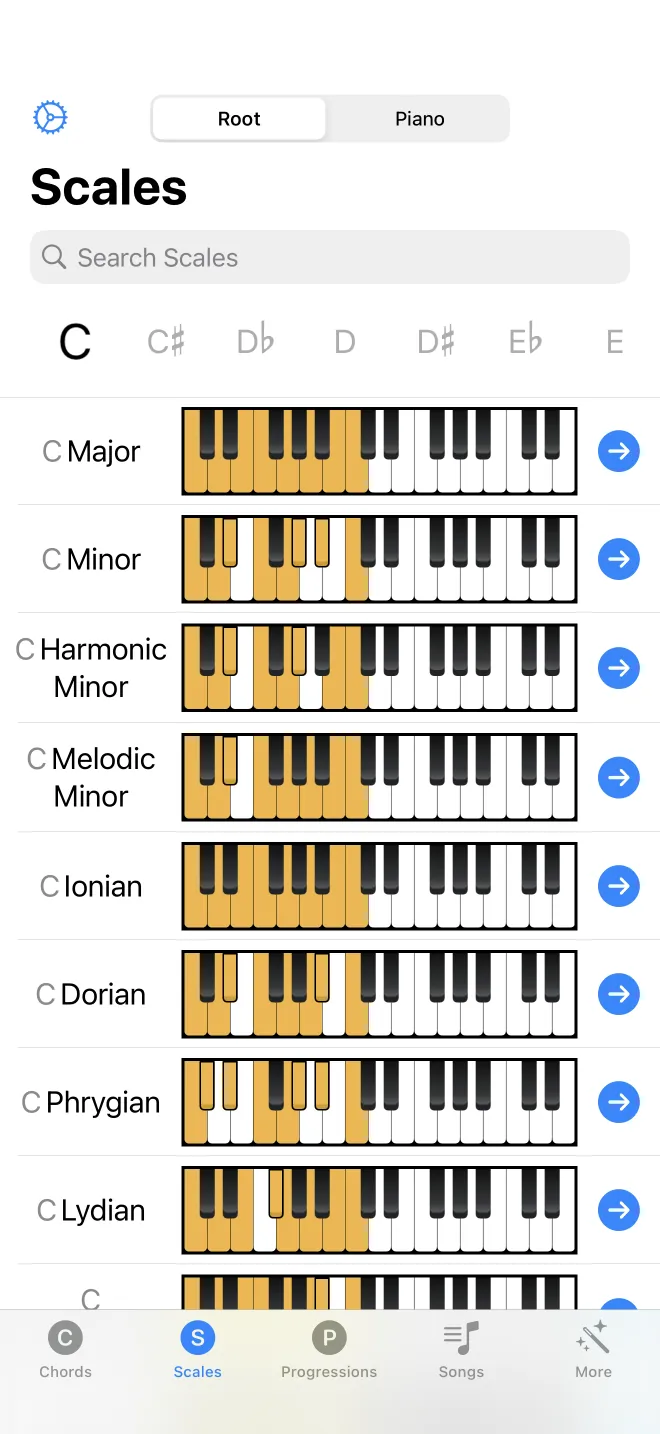
Look up a scale
Two lookup modes sit in the segmented control at the top: by root and by piano. In root mode, pick a note and the list shows every scale on that root. In piano mode, tap keys and the list shows scales that contain those notes. The magnifying glass in the toolbar adds text search, which accepts a name (C minor), the notes (C D E F G A B), or MIDI numbers.
What each row shows
Each row is one scale, labelled with its name. Tap a row to play the scale. Tap the chevron on the right to open its detail screen. Press and hold a row to export it as a MIDI file. A locked scale shows a lock icon; tapping it opens the upgrade screen.